The best of Integrated Live 2016 – a Digital Marketing show
Last month I boldly travelled to the big smoke, braving commuters on the DLR and take away food for hipsters, to spend two days at Integrated Live, a digital marketing show in London’s Excel Centre.
Absorbing the latest trends in marketing from some excellent speakers, I bring back what I believe are the most important points from their talks – There is no end to my commitment to RI customers!
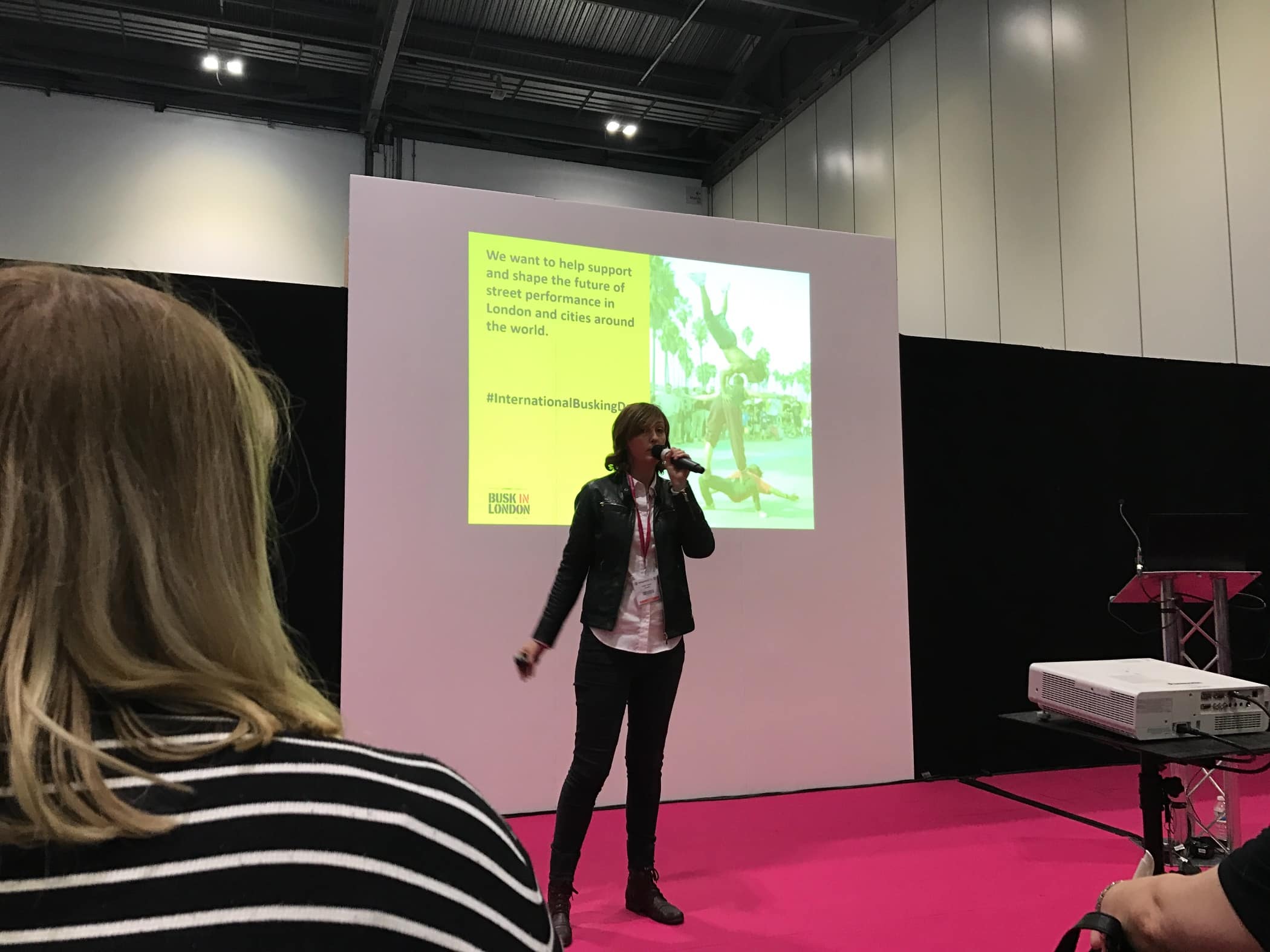
International Busking Day

Julia Jones (@DrRockUK) – How something as simple as a hashtag could unite ordinary folk and beloved rock stars to help build momentum around a single event, International busking day.
- Use hashtags
- Get influencers involved
- Timely posting around trending topics
- Sent out a promotion package with the hashtag and instructions how to promote to others
- Keep the idea simple and easy for people to get on board
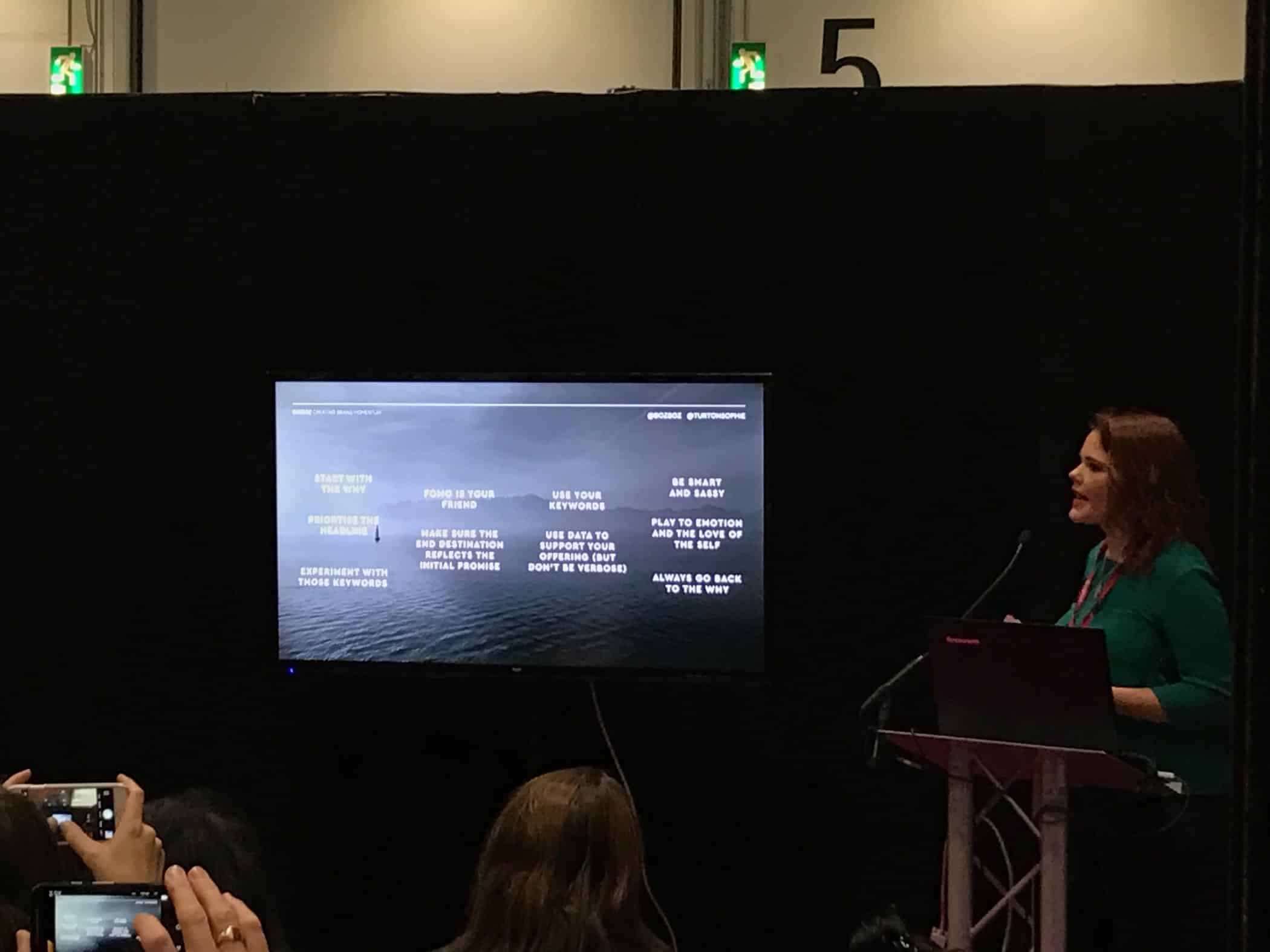
How to use the Psychology of Language to Boost ROI on paid search

Sophie Turton (@TurtonSophie) – Tweaking the language you use to encourage more people to click through and convert on your Google Ad.
- Start with why – Simon Sinek ‘customers buy why you do it’
- Remember first and last pieces of content we see
- Include your keywords
- Solve a problem – Target the issue as well as the solution
- Customer: Think about what they love and hate and who are their best friends and enemies
- Add in reviews directly to ad content. Sometimes Google will automatically pull through reviews
- Use site links to testimonial pages
- “Most people would rather avoid loss than acquire gain”
- Insert urgency
- Add Google countdown customisation in advert – Increased CTR by 32%
- Repeated messages are more likely to believed
- Landing page (on site) must mirror advert
(A similar presentation of Sophie’s on slideshare)
What Works? – (Video) Marketing in 2017

Claire Emes (@C_emes) – How to make video more effective to stop people skipping the ad or bouncing back to search.
- Attention decrease from 12 to 8 seconds – Less than a goldfish!
- If you don’t look like an ad and you won’t get skipped
- Showing your brand early in a video makes people skip, unless it’s essential to the story
- Use sound to break through as audio bigger impact than visual
- (however) 85% of Facebook ads are ‘listened to’ with the sound off – Use subtitles!
- Time matters – What’s the greatest idea in 5 seconds? Before they skip or bounce
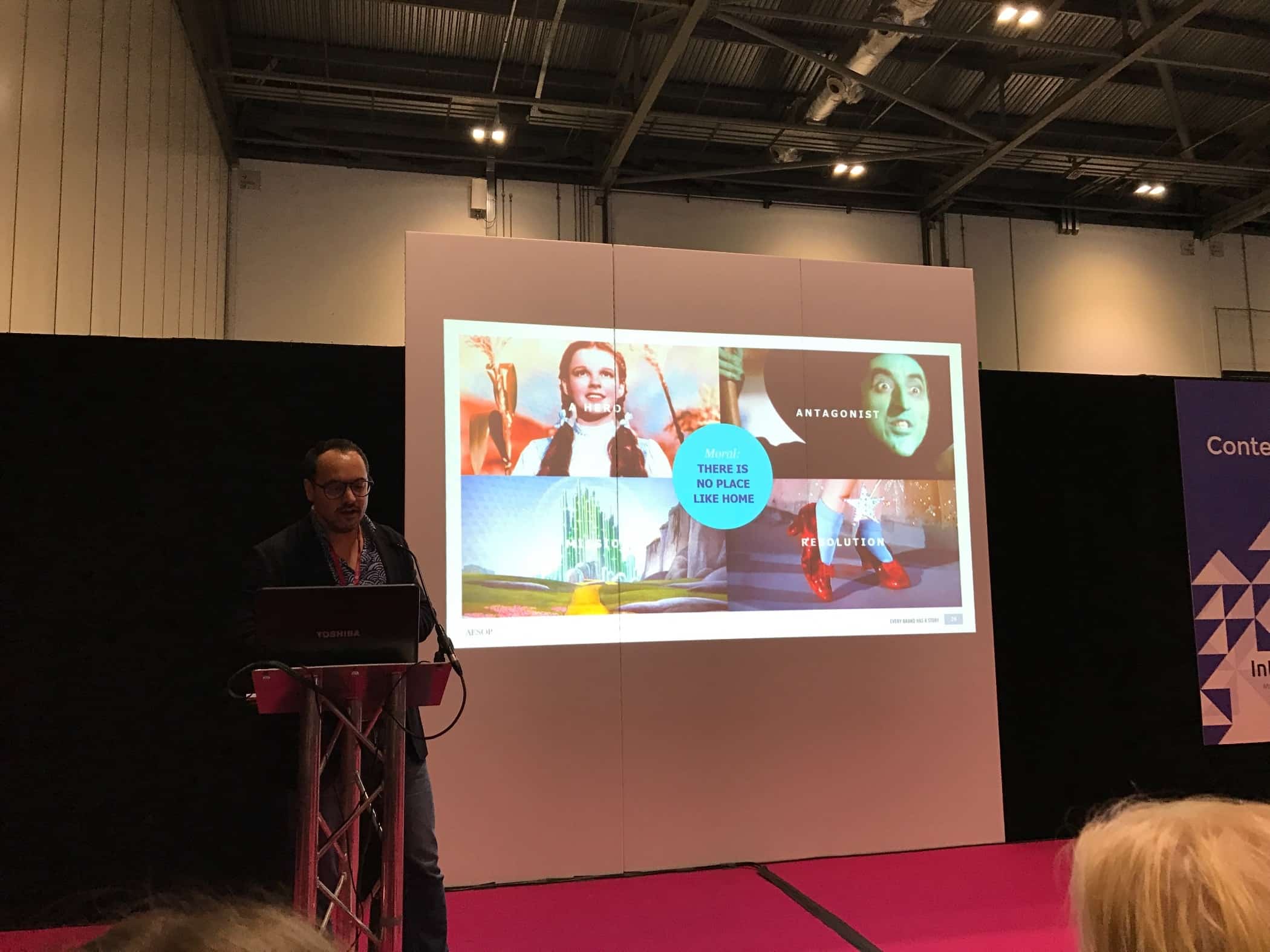
Storytelling Content – The What, Why and How

Ed Woodcock (@edwoodcock) – Brilliant presentation on how to write more compelling copy – Make it a story.
- A story needs a Hero, an Antagonist (or monster), a Mission and a Resolution
- The monster is the problem/challenge and the hero is your brand/product
- Kurt Vonnegut on the Shapes of Stories (good video, worth watching)
- All stories have a dramatic conflict (Sid Flickr) – Find the conflict!
- Embrace the dark side in story telling
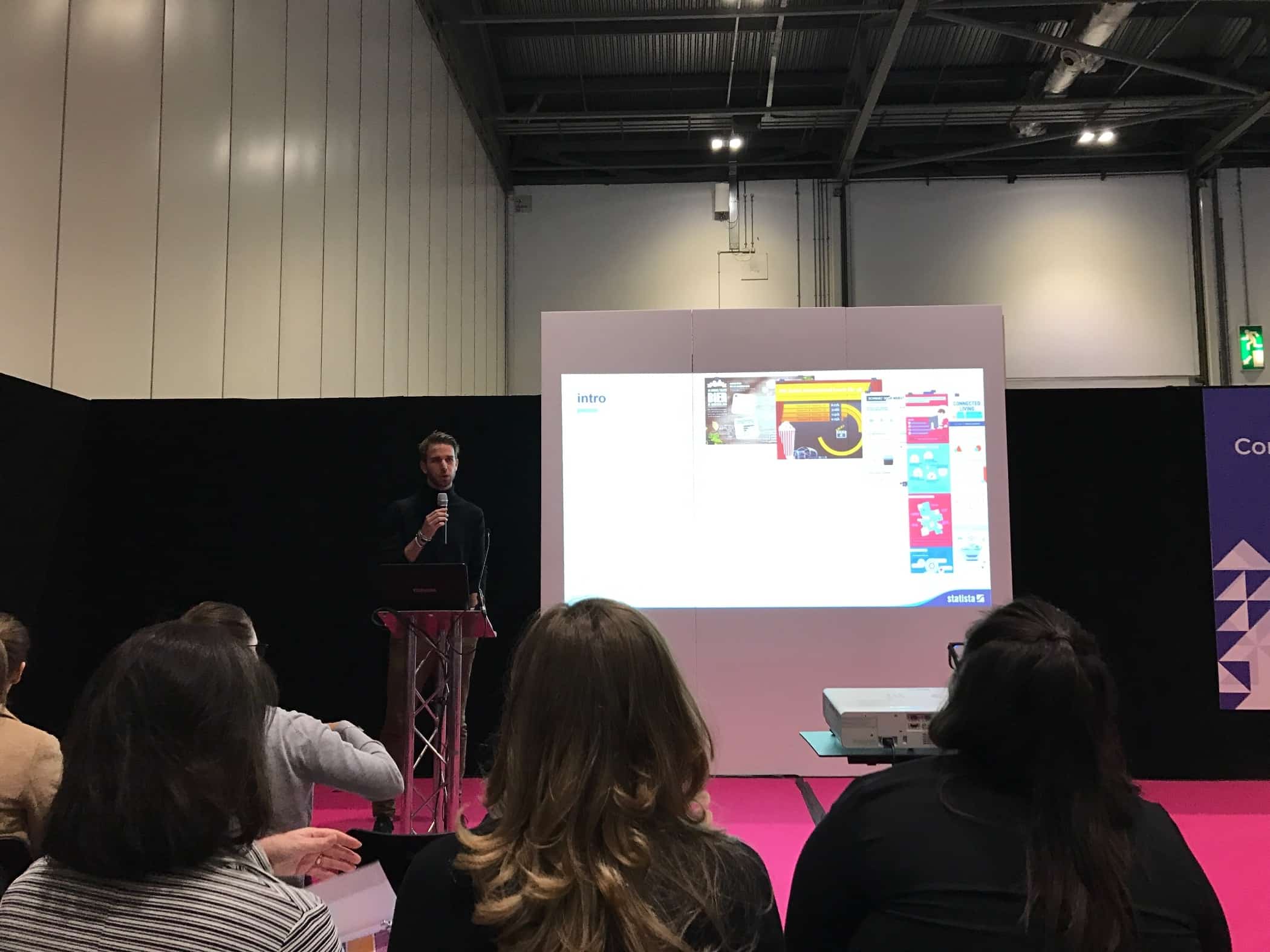
Pics or it Didn’t Happen – The Power of Infographics

Robin Hüdepohl (@robinhuedepohl) – About combining text with visuals to make your concepts/sales pitches quick to understand and easy to remember.
- People process visual information 60,000 x faster than text
- Interplay between text and images will unfold the power of the story
A Facebook campaign, how we got results

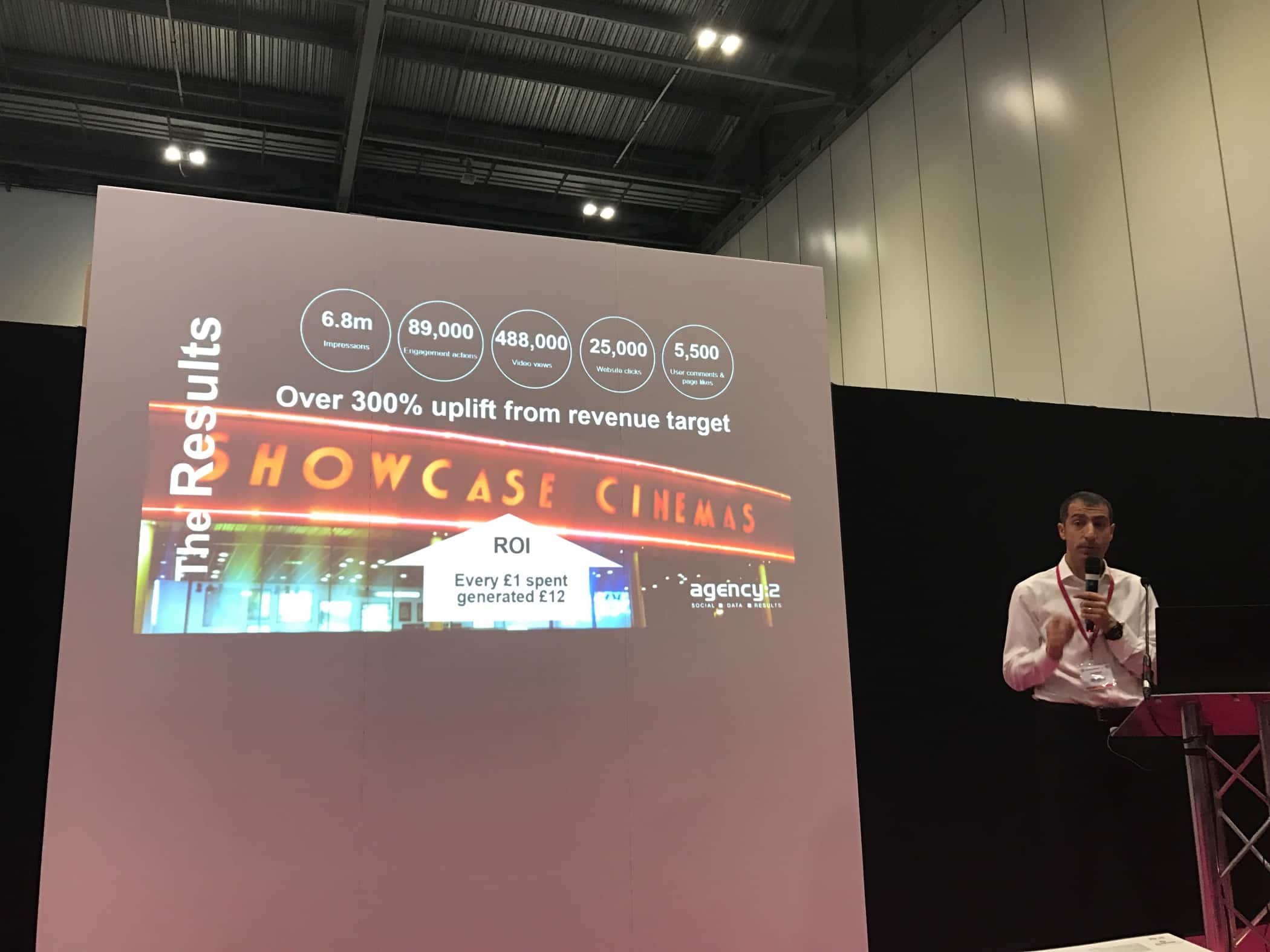
Joel Davis (@joeldavis_) – A simple breakdown of their ad campaign for the new Thomas the Tank Engine film and what worked best for them.
- Video drives sales
- The more targeted the ads, the cheaper the CPM (Cost Per iMpression)
- Ad retargeting (showing the ad to people who visited the website) is incredibly important. In Cinema example people book within 48 hours of the show
- 10-13 seconds is ideal for Facebook video
- Important numbers to track – Cost/Sale, Sales generated
- What works to drive social engagement – Ask questions, run competitions
The Rise and Rise of Editorial Video

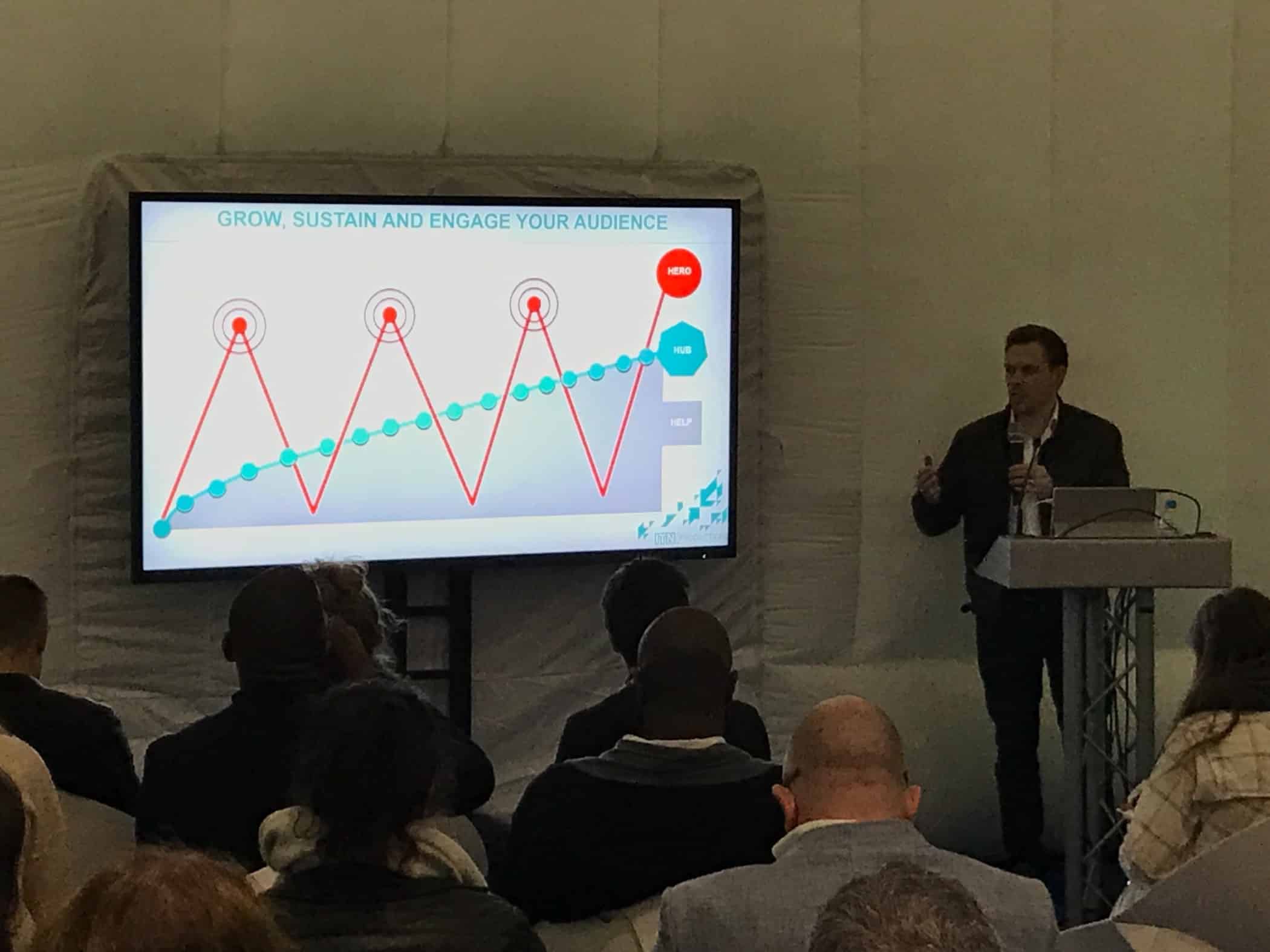
Simon Baker (@simonthebaker) – Creating video that people want to watch
- How to grow, sustain and engage an audience – Produce lots of Help content (long lasting and niche/specific). Add in Hub content (topical, short shelf life) then sprinkle with your Hero content (big ad/sales)
- Find sweet spot between audience passion and brand positioning
- Content checklist: Related to a topic?, Do you add value? Do people desire to see it? Is it right for the platform?
- Plan editorial agenda around current topics.
How to Listen: The Art of Not Making Noise

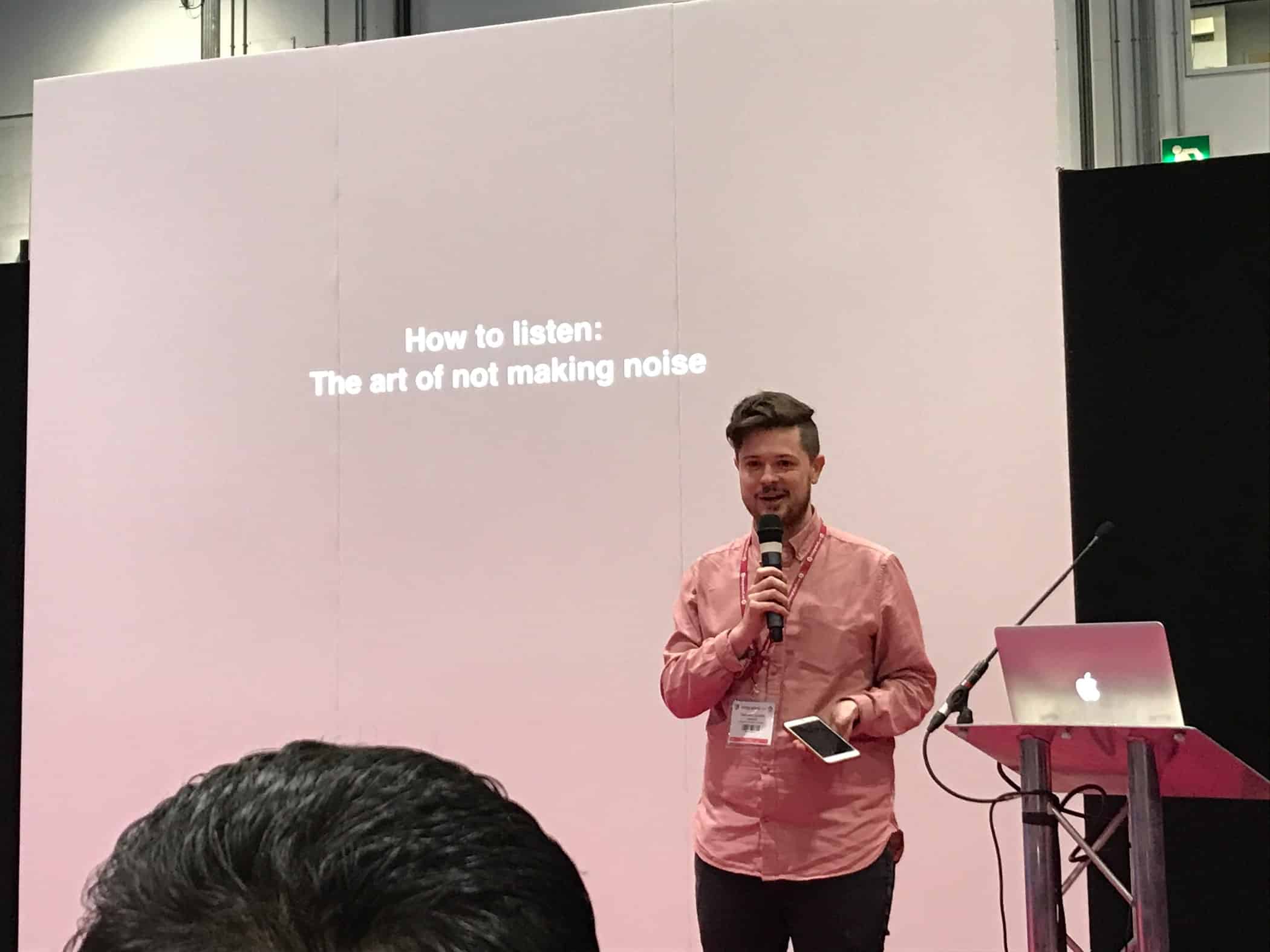
Samuel Goudie (@sgoudie) – Not only should you listen, but you should listen to people whose opinions differ from your own. Sam was an engaging speaker
- “When everyone is shouting no one is heard”
- Don’t block out opinions counter to your own. Actively seek out other people with different opinions
Something Inventive 7: Double Glazing Sales People
Ben and Al tackle the new Twitter support DMs, Optimising a site for hidden keywords, Thank you pages and more on WordPress hacks.
Subscribe to our iTunes podcast feed or search for ‘Something Inventive’ in your favourite podcast player.
Episode sponsored by Ticked Off
Your internet marketing checklist, free 30-day trial, no credit card needed – Sign up today at ticked-off.com.
Show notes
- RIP Little Printer
- Guest blog Friend of a friend – Your real social network
- Speed up Twitter customer service
- Twitter Support Dashboard
- Wikipedia founded by Jimmy Wales. Currently has 280 employees
- Top 10 Mistakes in Web Design by Jakob Nielsen
- Eco Cat Flap product thing…
- A guide to choosing the right search terms for your business
- Google Trends
- Google Analytics In Real Life – Online Checkout
The Hosts
Al Osmond (@inventiveal) – An unusual mix of logical thinker with a creative eye
Ben Kinnaird (@benkinnaird) – Knower of Social Media, SEO and ‘the Web’
Be part of the show
Send in your business, marketing or creativity questions for the next episode as a Tweet to @ratherinventive, use the Twitter hashtag #inventivequestions or email [email protected]. Thanks for listening!
—
Audio edited by Donalize – ‘Goofy Vocal Groove‘ intro music by Dave Girtsman
Why your business needs good copy
Following on from Helen’s blog post last month about ROAM (Readers, Objective, Action, iMpression) and writing for business, I would like to expand a little on what it takes to get readers to take action.
Words win customers
Imagine sitting down to read some promising online content and you start to nod off, bored with the lack of vivacity in the corporate waffle you are being offered. Chances are you won’t buy what they’re selling. Am I right?
As a business owner you are concerned with selling your product or service. In order to be able to do this effectively you’ll need words. Good words. Because words win readers, and readers are potential customers only if you can interest and tempt them. Your words should make readers feel something, and make them act on those feelings. Use the wrong words and you will put off your readers from becoming customers.
The wrong words
If you put too little effort in, or if it’s clear that you have no skill with words (in which case what else do you have no skill in, your business perhaps?) then your best customers are going to walk. Perhaps they’ll walk to a business who talks a good talk, who won’t come across as pushy and who can appeal to the reader’s emotions (without them actually realising it). These are the businesses who are more likely to gain readers, and therefore customers.
You love your business, you don’t necessarily love words
OK, so you may be able to put words on the screen. Indeed, you may be as poetic as Bob Dylan, but can you write to sell?
You might know your business inside out and back to front, but do you know how to sell your beloved business using only words? (and no, superlatives like ‘fantastic’ and ‘amazing’ do not cut it). It’s not as easy as you might think. It takes a lot of practice.
What your words should do
To be effective in gaining interest from potential clients your words need to do the following;
- Hit your target audience – if you try to appeal to everyone then no-one will read, let alone respond or buy
- Engage on an emotional level – it is appealing to the emotions of potential customers that gets the sales, not lists of benefits or products
- Perfectly capture your company, its principles and its ethos
- Make the words exciting and engaging, even for the driest subject
- Be aware of trends to keep your content fresh
If you can do all of these things, then I apologise for wasting your time. If not, please understand that good sales rely on good copy, and good copy requires skill. It is not simply a matter of putting words on a screen. These days, with so many companies in your field competing for eye time on the web, your copy must stand out. Make sure you are – or have at your disposal – the right person to create that copy.
—
Photo credit: Stefan Zdzialek, Kuba sleeping on keyboard
Friend of a friend – Your real social network
Twitter, Facebook and WordPress all help you connect directly with your clients or audience. But reaching for them indirectly could be even more successful.
Bigger networks often have high demands for quality content but can’t always feed the grinder themselves. Offering quality content to the owner of these networks helps them feed their audience and gives you the opportunity to connect with friends of friends.
Provide content to places that need it
Magazines built on advertising, for instance, always need interesting profiles or features to fill out their publications and prevent them turning into coupon books.
When trying to sell our house, I created a Twitter account in the character of our property: @jamjarhouse. This idea got the attention of a local property magazine and bagged me a free coverline and double page spread.
Offer content to the subscribers of larger providers
Email newsletters challenge everyone, big or small, because they need to be regular and they can’t go out empty. If you can fill the gap it means they don’t have to.
If you’ve written a reference book and published it as an ebook don’t just send it to your own email list. Find providers that crossover with your topic and offer the ebook for free to their subscribers.
Contribute guest content to successful websites matching your interests
For example, this post!
If you have contacts with bigger networks than you, then great, but otherwise simply drum up a list of five or more decent sized content providers that fit with your business.
Fire off at least three outlined ideas for guest posts to each contact on your list, making sure your content hits both their niche and offers a peek into your own knowledge and skills. If your ideas are good enough, no one with content gaps to fill will turn them down.
Image credit: Clem Onojeghuo – Black Steel Grinder on Brown Wooden Table (Header) – Cotswold Property July 2016 (insert)
Something Inventive 6: Hand built from junk
Ben talks with Al about building his office, whether infographics are helpful, the best way to embed a video on a website and how to protect against WordPress hacks.
Episode sponsored by Ticked Off
Your internet marketing checklist, free 30-day trial, no credit card needed – Sign up today at ticked-off.com.
- Power flow home Battery Storage
- John Johnson – Business Mentor in Leadership and Development
- Fastershire Programme
- How to listen to a Podcast by Helen Crease. Includes listening recommendations
- Boagworld, a podcast by Paul Boag and guests
- Little Printer by Berg. Sadly no longer available 🙁
- HP Printer recommended by Rethink Printing
- 10 free tools for creating infographics by Creative Bloq
- Canva infographics maker apparently it’s the “The easiest to use design program in the world”
- Youtube alternatives. Vimeo and Wistia
- Removing related videos from the end of YouTube videos using ‘Rel = 0’
- Nifty CSS element for resizing video on CSS Tricks
- Visual Composer page builder plugin
- Marketing Land reports that WordPress used on 25% of websites worldwide
- Security plugin recommendations in our Protect your website article. Part of our#Love Your Site articles on how to maintain and develop your WordPress website.
Thanks for listening – If you have any questions or feedback, head over to our contact page where you can call, email or Tweet at us anytime you like.
—
Audio edited by Donalize – ‘Goofy Vocal Groove‘ intro music by Dave Girtsman
How to write for business – cutting out the waffle
My writing has been through a series of evolutions. During my A-Levels, I took pride in my ability to write thousands of periphrastic, prosaic paragraphs for English Literature essays, using a vocabularly that, most of which, I now wouldn’t know the meaning of. I was also a sucker for alliteration.
Then I started working in TV and I was devastated when a senior Commissioning Editor criticised my writing for being ‘far too floral’; I was urged to do away with the hyperbole of my youth and to become much more ‘tabloid’.
Now, as a Social Media Manager, I struggle to produce anything engaging that’s longer than 140 characters; in fact, my writing life has become one big #acronym!
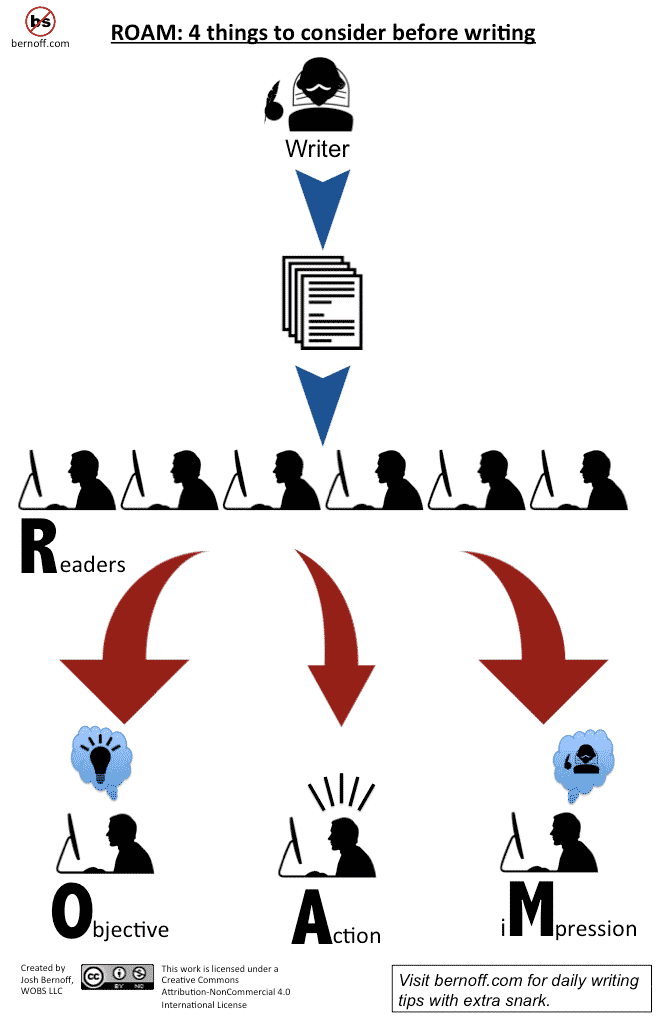
Writing for business is different yet again. The objective in business writing should always be to create a change in the reader; either to change a reader’s attitude or to encourage a different behaviour.
A tool I come back to time and again when I have to write business articles is Josh Bernoff’s R.O.A.M. Bernoff, if you haven’t heard of him, is the author of ‘Writing Without Bullshit’. Grabbed by this brilliant book title, I discovered Josh’s podcasts and blog, which is where I came across the concept of ROAM. Before you attempt any business-related article, Josh insists that the author spends time thinking about the following:
- Readers: Who is the audience?
- Objective: What are you trying to do?
- Action: What do you want the reader to do?
- iMpression: What will the reader think of you?
To give you an insight in to my practise, for example, here’s how I started this blog post:
Readers: People who have an interest in marketing, business, creativity or all three.
Objective: To share with my readers some useful tips on how to write concisely for business.
Action: I want my readers to learn more about honing their writing skills, hire Rather Inventive to help them or Find the information so useful they want to sign up to more emails in the box below…
iMpression: I’d like my readers to think that ratherinventive.com is a truly brilliant oracle of information relating to marketing, business and creativity (which it is, of course!).
Follow this link to find out more about ROAM.
And as a nice little Brucie Bonus, feast your eyes on this infographic:
Infographic taken from bernoff.com – Photo credit: Ak~1 – Typewriter.
What is a podcast? And how to listen to one
What is a Podcast?
Ask Google what a podcast is and you will be told:
a digital audio file made available on the Internet for downloading to a computer or portable media player, typically available as a series, new instalments of which can be received by subscribers automatically.
Ostensibly, a podcast is like an on-demand radio show, with each podcast covering a variety of topics from Politics to Arthurian Legends…there really is a podcast for everyone. Some podcasts are one-offs whilst others form part of a regular series, much like TV shows.
I listen to podcasts whilst I’m driving. I listen to podcasts when I’m working at my computer. I listen to podcasts whilst I’m doing housework and I used to listen to podcasts at the gym (I ditched the gym but kept up with the podcasts!). And because of the vast array of subject areas now covered by podcast producers, as a listener, you can practically curate a customised radio station based on topics that appeal purely to your interests.
Thanks to the pause button there’s no need to sit outside work, clocking in late, whilst you wait for the end of the feature – you can simply dip in and out of the podcast as and when is convenient. What’s not to love? Did I mention that they’re free, too?!
How can I listen to a Podcast?
As long as you have access to the internet, you can listen to podcasts anywhere. And if you are going somewhere without an internet connection, you can download the podcast and listen to it later.
When I’m out and about, I will use my iPhone to listen to podcasts. Personally, I use the iPhone Podcasts App, but there are other mobile management tools available. Overcast comes highly recommended for Apple’s iOS and Pocket Casts for Android. Simply download these Apps to your smartphone and use the software’s own features to search for and listen to your podcasts. For the desktop, try iTunes or gpodder or if you’re sharing a computer, go for a web-based option such as ShortOrange or Player FM. Some tools allow you to speed up the podcast, cutting out any prolonged silences. You can also choose to subscribe to certain shows or series.
Where can I find good Podcasts?
Now you know how to listen, you just need to find a podcast that appeals to you. There are so many out there, many of which will be featured or recommended on your management tool. However, there are also some great recommendations online and in magazines. I keep a copy of Stylist Magazine’s guide in my bedside table and a friend also sent me this link to the Guardian’s recommended podcasts. iTunes boasts a fantastic podcast directory. Anybody can record a podcast – qualities will vary – but as a result of that, you will find podcasts covering all subject areas, from spin-off radio shows to social media tips and advice.
Happy podcast-hunting! To start you on your podcast journey, try some of the following for size:
- TED Radio Hour – Interviews and ideas based on TEDTalks based on a common theme
- Something Inventive – Our very own podcast with discussion and interviews on Business, Marketing and Creativity
- 99% Invisible – Looking at the littlest things in life that go unoticed
- Radio 4 Friday Night Comedy – The best new comedy from Radio 4, every week
- Planet Money – “The Economy Explained”, Fascinating and fun in equal parts
- Mac Break Weekly – Fun conversation about technology and all things Apple
Let us know your podcast recommendations on Twitter @RatherInventive – let’s spread the good word!
Something Inventive 5: Can you make the logo bigger?
Al and Ben meet in glorious Bradford on Avon to muse on how children use technology, demanding clients and moving your website over to HTTPS.
Episode sponsored by Be Sociable
Easy-to-follow social media tips and strategy to get noticed by the right people for the right reasons. Nick says “Ben and Helen know everything about every social media”
- Are you being served? Why it’s important to set customer expectations
- Toca Nature – Delightful and fun game for children
- Linda Liukas TED talk – A delightful way to teach kids about computers
- Hello Ruby: Adventures in Coding – Lovely programming book for children
- Swift Playgrounds – Cute Apple programming game for iPad
- NeXT logo by Paul Rand
- Ed Catmill’s (Pixar’s founder) book Creativity, Inc: Overcoming the Unseen Forces That Stand in the Way of True Inspiration
- HTTPS as a Google ranking signal
—
Audio edited by Donalize – ‘Goofy Vocal Groove‘ intro music by Dave Girtsman
Great digital products don’t happen by accident
Nice presentation from David Gillis on why Great digital products don’t happen by accident given at Reactor Design Day 2014.
3 key concepts in his presentation were:
Ethos – What is your product’s voice and why will people trust it
Pathos – What do you want people to feel when they use your product
Logos – What problem is your product or service trying to solve
The following sentence jumped out to me near the end of the video
“Validate your problem first, and then figure out what success will look like for that, and then relentlessly focus on achieving that.”
I recommend you watch the video if you are at all interested in making products that people want and love.
Are you being served? Why it’s important to set customer expectations
Are you one of those people who cannot abide queuing? Do you stand there fuming and raging over the length of time you’ve been waiting, while repeatedly looking to the front of the line in the deluded hope that your venomous glares will hurry them on? If so, then you will appreciate that as a customer your experience of the company will be tainted with the frustration at having to wait for so long. But would this still be true if there was a little sign that says ‘You are 10 minutes from being served’?
Queues impact almost every industry at some point, and waiting line psychology, as explained by David Maister, shows how queues can affect our customers. Companies have long been using waiting line psychology to their advantage but it’s worth revisiting the idea that our pre-service is just as, if not more, important than our in-service provision. A long wait can suggest a lack of concern for the customer and can hint at poor service quality. Yet a queue for our service is the opportunity for us business owners to offer a glittering pre-service – the opening act before the headliner. Customers will gain a good understanding of a company’s effectiveness from the pre-service, and if they’re not happy with it, well, why should they stick around for the main act?
Set expectations
Anyone who has ever had to queue will understand that our expectations affect our experience. If we expect a queue to move quickly and it turns into a snail’s race we are left annoyed and frustrated. So, make the early stages of your customers’ experience a positive one by managing their expectations and you will win over the customer. Can you let your customer know how long they’ll have to wait before they reach the front of the queue? Ikea’s Customer Service has a number ticket system, a technique that’s been around for decades now, but it still works exceptionally well. Let your customers know what to expect.
Keep them entertained
Can you entertain customers while they wait? Distractions, or ‘service-related time fillers’ will divert your customer’s attention so the wait is not so onerous. Strategies such as a TV or reading material (think magazines in dentist waiting rooms), shops to browse at train stations, even the muzak we (are forced to) listen to when we’re waiting to speak to a service human on the telephone (which is actually more annoying to some than having to wait in silence) are all designed to keep customers occupied while they wait. Can you go one step further? An offer to call them back perhaps? Is there something they can be doing that will make the next step of your service run more smoothly, such as completing forms or providing entertainment as part of the wait? What can you offer your waiting customers?
Respond quickly
Appreciate what anxiety your customer might be feeling. Perhaps they need some acknowledgement that they’re waiting, rather than worry they’ve been forgotten or overlooked. Got an email query that you cannot deal with right away? You could send a reply that acknowledges the customer’s query and that they will be served as soon as someone is available. This takes the pressure off both the customer and you and in most cases can be automated.
Investing in your customer goes a long way. For instance, should there be a problem or a delay in your service, you could just ignore the customer, letting him wait in limbo, or you could go ‘over and above’ and take the opportunity to wow him with your efficiency. Love them or loathe them, a recent experience with Amazon left me in no doubt as to the time I should expect my delayed parcel to arrive. I appreciated their consideration immensely and forgave the delay.
Ultimately, what is most important throughout the process of dealing with customers is to manage their expectations. And every customer has expectations, from the very initial stages of his interaction with your business. If a customer is impressed with your pre-service then he’s more likely to remain your customer.
—
Photo credit: Xiaojun Deng Follow, Nairobians queuing up for a bus.
The Power Of FREE! How offering free e-books online can improve your business
There’s no such thing as a free lunch, right? Actually, sometimes there is. In fact, I was treated to one just this week. I absolutely wasn’t expecting it but boy did it feel good!
Something Inventive 4: Stuck in a boot
Ben is joined by Jack McCaughtrie from Core Tree to discuss what makes a tweet engaging, LinkedIn endorsements and getting personal on social media.
Episode sponsored by Be Sociable
Easy-to-follow social media tips and strategy to get noticed by the right people for the right reasons. Nick says “Ben and Helen know everything about every social media”
- New intro music ‘Goofy Vocal Groove‘ by Dave Girtsman on Free Music Archive
- Brilliant interview with Tanya and Dave, Priory inn on lean manufacturing and 30 Mile food zone
- Jack from Core Tree Social Media Marketing
- Morrells Handwriting practice workbooks
- Mini coaching – A little marketing motivation every month in 15 minutes for just £25. Contact us if you are interested
- Marketing Fundamentals Workshop in September – Last one of the year!
- Extensive list of Twitter hours around the country
- Buffer – A Smarter Way to Share on Social Media
- Sprout Social – Social Media Management Software
—
Intro Music: ‘Goofy Vocal Groove‘ by Dave Girtsman
Interview: Local food is good business
I interview Tanya and Dave, owners of The Priory Inn (Tetbury), on how they’ve improved quality and sustainability, by insisting on buying only from suppliers within a 30-mile food zone, and the restaurant’s continuous development using ‘Lean manufacturing’ principles.
Find Tanya on Twitter @ThePrioryInn or visit www.theprioryinn.co.uk and book a table. I can recommend the pizza.
- Lean manufacturing
- Strawberry and blue cheese pizza!
- 30 mile food zone policy suppliers at The Priory Inn
- Holy Smoked Cheese
- Priory staff visit to Uley brewery
- Barter at the back door
- Award winning Stargazy Fish Bar
—
Photo Credit: The Priory Inn
The Soft Sell: Using social media to get to 4th base
As a freelance Social Media Manager, one of my first questions to my clients is often ’what do you want to achieve from your Social Media output?’ Nine times out of ten, the answer is ‘more sales’. A relatively simple answer, yet achieving that goal can be a little more complex than tweeting pictures of products or lists of services and special offers.
The World Wide Web is a Vast Territory
Over 3 billion people use the internet (May 2015, www.time.com) and 2 billion of them are using Social Media (August 2014, www.wearesocial.com). Yet for many of us, our first ‘tweet’ is sent out to a grand total of ZERO followers, and our first blog post is probably read by exceptionally dedicated family members and friends, but not necessarily money-spending customers.
So How do we Attract that Untapped Target Market?
Take it from me, it’s not by bombarding people with links to the services that you are promoting or to a discounted product on your website. We are engaging, however virtually, with ‘real’ people, so the best way to communicate with consumers is by treating them as real people.
Don’t be the Buffet Table Bore
Imagine being at a party and someone you’ve never met before approaches you. In ‘real-life’, a few niceties would be exchanged, you’d take it in turns to ask each other questions, find out a little bit about each other, share stories that may be relevant to what you’ve learnt from your conversation. Perhaps the stranger has spent the day researching potential city breaks and you’ve recently had a fab time in Barcelona – you’ll offer tips and information on great places to visit and an awesome restaurant that serves the best tapas. It will (hopefully) be a mutually beneficial conversation. If the same person approached you and proceeded to bombard you with information about his/her life – without letting you get a word in edgeways – you’d be looking for your first excuse to make a break for the buffet table. It’s exactly the same etiquette on Social Media.
Inform, Share, Engage & Educate
In order to attract the attention of a consumer (or ‘follower’), try sharing some information. Put something out there that is useful. A café-owner may blog about the best-selling brownie on their menu; by sharing the recipe the owner is engaging with followers and asking for nothing in return. He/she is saying ‘Hey, look here – this one is on us!’ The consumer is getting something for nothing and, let’s face it, we all love that! And in the majority of cases, that information will be passed on:
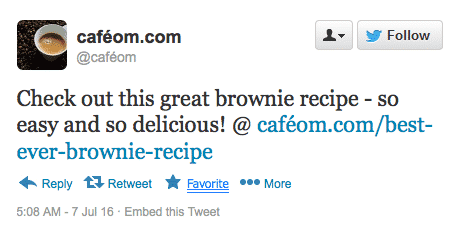
Before you know it, everyone is talking about the Café’s amazing brownies. At some point, those followers will decide to visit the café for real and there you have the conversion from virtual blog post to real-life customer (and money in the till, ca-ching!).
Reward, don’t Repel
I decided to subscribe to the newsletter of a certain fashion brand; I liked the clothes and thought that by following them online I’d be able to make the most of the occasional sale previews or discount codes. But after a month of my email inbox being inundated on an almost daily basis with promotions, I ended up unsubscribing. It was too much of the ‘hard sell’ with nothing for me to take away (that didn’t involve spending money). It would have been much more interesting, as a consumer, to have read articles less frequently but with more take-away information – What’s in this season? Where was the spring/summer campaign shot? Who was the photographer? Rewarding the consumer with this ‘inside-information’ in exchange for their time invested in following the clothing brand would have led to much greater engagement – the consumer will look forward to the email as a welcome distraction to the day, as opposed to being annoyed at the interruption to work.
Slow and Steady Wins The Race
It goes without saying that at some point, we want our ‘followers’ to spend with us. Whether it be converting the online Twitter follower of the museum to getting them through the actual door, or converting the travel blog reader to customer when they book a holiday through the travel blog’s website; just keep in mind the 4 out of 5 rule; inform, share, engage and educate your followers before promoting a product or service with your 5th post/tweet. We all know you can’t get to 4th base on a first date, right?! Relationships take time to develop – listen and respond with your output accordingly – the long-term benefits will be worth the effort!

Something Inventive 3: Peak Kitten Video
Ben and Al are joined by special guest Nicholas van der Walle from Astute Graphics. Behind his dry humour lies a business mastermind who helps us tackle topics such as click bate headlines, getting external investment, how Brexit might effect marketing and Piccolos!
Episode sponsored by Be Sociable
Easy-to-follow social media tips and strategy to get noticed by the right people for the right reasons.
- ‘Don’t like click bait? Don’t click’ Ted Talk by @sallykohn
- Netflix extracting image metadata at scale
- Brown banana advert
- Dan TDM’s Minecraft videos
- Playdoh suprise egg things (I couldn’t find the one my boys watched but this is equally odd)
- ‘How social media can make history’ TED Talk by Clay Shirky
- Astute Graphics – Makers of 14 Award Winning Plug-ins for
Adobe Illustrator - Sebastian Bleak speaking at Adobe Max
- Pitch Fest
- Astute Graphics Bexit blog
- Information Comissioners Office – Office responsible for the enforcement of the Data Protection Act
Keeping people interested and engaged
In a digital age when there is masses of content generated on a daily basis, it is essential that you focus your attention on what interests and engages your target audience.
- What do they want to read?
- What information do they want to consume?
- What interests them and how do you connect with them?
The rise of Facebook and other social media platforms combined with the appetite for content has resulted in sites such as Friends Reunited losing their appeal and relevance.
When Friends Reunited was reunited (sorry) with its founder Steve Pankhurst, he realised that he had over 10 million people signed up but the data was old and people were using the website simply as a message board – people weren’t interested in using the site for it’s original purpose which is a clear sign of a lack of interest.
Evolving your activities to continually appeal and then maintain the interest of your audience is integral – keeping up with the changing requirements is a challenge but a challenge you must accept and address.
You need to keep abreast of changing habits by consuming similar information to your target audience whilst also talking to them to find out exactly what they want and how they want to consume content.
Keep people interested by sharing insights into your business, provide them with tips and information that they are able to go away and use. Participate in online discussions, this interaction will help you to understand what people find interesting and how they react to it.
No, thank you
As children we’re told to say ‘please’ and ‘thank you’. As an Adult I encourage this behaviour in my children so they will be seen as polite, helpful and well-rounded. There’s a perception that when this is not said one is considered rude.
This works well in verbal communications – it’s quick and there really is no extra effort involved. But in email or other text messaging politeness can drive me to distraction.
I’m not thinking of when I thank a client for trusting me with coaching their marketing team or praising individuals at the the end of a website project (I must do this more often) but the little niceties within day-to-day communication.
Examples such as: receiving an email reply from a client after I’ve just sent them a file or some requested information and thus pinging up another notification, or yes, another email to peruse and process. Or, using what little cognitive energy I have left to decide whether or not to reply to their ‘Thank you’ message with a equally amiable ‘My pleasure’ and in doing so, cause my client to be distracted by my notification.
Don’t get me started on how much email pre-amble I should use – When does it stop!
Thankfully Basecamp, a project management tool we rely on at Rather Inventive, introduced two ideas in their new software that have helped to reduce my stress levels, thus affording me more time to focus on the important communication, where it matters.
- Applause – Rather than thanking a person by typing a reply (thus treating the whole team to yet another message) you can click on a little ‘Applause’ link which sends a nod to the person that you’ve noticed their work. It’s a ‘like’ button for work stuff, and used sparingly it has impact.
- Campfire – A simple real-time text message between you, your team and your client that you can dip in and out of, doesn’t notify you of every message and stays out of the way when you need to focus.
So dear client or friend, if you think I’m being too curt or even possibly downright rude, know that I am actually saving you time by not creating another email for you to process.
—
Image credit: Basecamp 3
Something Inventive 2: Recreational GIFs
Ben and Al discuss the benefits of mobile/responsive web design and getting clients involved early in website development. They eventually get round to answering questions on; why keywords don’t show in Analytics, which image formats to use online and setting up monthly reports in Google Analytics.
My appologies for some of the annoying echo and cracking at the end of the audio.
Episode sponsored by Ticked Off
Your internet marketing checklist, free 30 day trial, no credit card needed – Sign up today at ticked-off.com
- Port80 2016 Web conference
- Andy Clarkes’ talk on Designing imaginative
grid systems at Port 80, Newport. His Sketch notes of his talk by Mearso - Helen Clark. See sketch notes of her Port 80 talk ‘Designing better websites by including clients and their customers from the start‘
- The Dell 1320C ‘trooper’ colour laser printer
- Thank you to Marius at Cartridge World in Hereford for helping me find a new printer
- Keywords report in Google Analytics
- Viewing Keywords in Search Console
- ImageOptim image compressor for the Mac
- Dancing cat GIF
- Old school email mailbox GIF
- Google Acquisition report
Things I learned while Periscoping
I thought it would be fun to share some lessons learnt while covering We Cycle UK’s WACC2016 (Women & Cycling Conference 2016). I was charged with capturing the day using Periscope, a live streaming mobile video app, by filming some of the speakers and delegates. I must admit video is not my day job but it was fun to do and I’ve learnt a lot.
Get up close and personal
When framing the shot before broadcasting Periscope only shows the top half of the video with the bottom obscured by the keyboard and broadcast button. I always felt I had framed the shot well at first but when broadcasting and seeing the full video it the interviewee looked too far away. Getting closer will also help the built-in mic pick-up their voice more clearly.
Time it right
Allow for a few seconds delay before speaking after you start broadcasting and when you finish leave a few seconds silence so that your words don’t get cut off. I constantly mis-timed this with the resulting video having the name of the person I was speaking to trimmed off, not ideal.
Front first
Periscope defaults to using the front facing camera (on my iPhone at least). So if you are going to record yourself while looking at the screen start the broadcast focused on something interesting for a five seconds or so before switching to the rear facing camera to start talking. It’s worth practicing this to get the timing right.
Tripod or not?
I used a tripod for almost all of my Periscope interviews. This worked really well to record my monologues or when I didn’t need to move the camera but given the conversation style of my interviews and occasionally filming 2 or more people moving between people speaking was slower than it would have been handheld. If I did the interviews again I would most likely hold the iPhone in my hand for almost all the footage.
Light them up
Bring a small LED light to brighten faces when interviewing. I was in a very dark space backstage for some of the interviews and didn’t leave enough time to organise better lighting. I thought I could use the iPhones flashlight but when you start a broadcast the LED get’s turned off. Eek.
Buy a battery pack
Using the camera with wifi or 4G radios going all day will burn through your battery. I used a large power pack from Anker with was permanently plugged into the iPhone but even having even a small power brick can help you relax into each interview without worrying that you phone will turn off.
Save to Camera Roll
If you have the space on your phone I recommend turning on the ‘Auto-Save to Camera Roll’ option in settings as Periscope videos currently only last 24 hours online before they are deleted.
If you have any other tips and ideas on Periscope please let me know on Twitter @BenKinnaird
—
Masthead photo credit: Anna-Therese McGivern
Something Inventive 1: Little Red Spiders
In our very first episode Ben and Al discuss; the format of their new podcast, finding images to legally use on your blog, what makes a good FAQ (Frequently Asked Questions) page, adding password protection to WordPress and finally 301 redirects to remove missing pages from your website – We do get into some technical detail in places but nothing too geeky.
Episode sponsored by Ticked Off
Your internet marketing checklist, free 30 day trial, no credit card needed – Sign up today at ticked-off.com
- Twitter poll to decide podcast name
- Boaty McBoatface
- tineye.com reverse image search
- How to use Google Image reverse search
- Be Sociable, our fantastic social media tips book
- Flickr and set the License filter to ‘Commercial use allowed’
- iStock, photo, video and music stock library
- Mathew L, Illustrator and Cartoonist on People per hour
- Morguefile.com, free (as in beer) and royalty free images
- Narrow depth of field image shot on iPhone
- Free Music Archive. Recommend artist Scott Holmes
- Orkin Pest Control little red spiders
- htaccess redirects
- Safe Redirect WordPress plugin
- Google Webmasters Search Console to find missing pages on your site
Recipe books interview
I catch-up with Becca Wild from Photopia to find out why she and partner Simon decided to create a rather unique recipe book, and in my opinion an epic project, while continuing running their photography business and expecting a child.
Find Becca on Twitter @PhotopiaUK or visit photopiaphotography.co.uk.
- Met at Hereford Tweet Up
- Chase Marmalade Vodka. They make rhubarb flavour too!
- First book Made in Hereford with help from Jo Hilditch
- Second book Made in Shropshire, foodily supported by Beth Heath
Accessibility and Email Campaigns
Following my interview with Bik Lee from the RNC I came across this helpful article on accessibility in email from Campaign Monitor in my reading queue.
Blindness and other degrees of vision impairment are more common than many would think. 285 million people worldwide are considered to be visually impaired
Worth reading for those who have a hand in the design of their email campaigns. Many of the points they mention also apply to website development and copywriting.
Visual impairment on the web interview
Bik Lee, Digital Media Officer for the RNC (Royal National College for the Blind), explains the importance of making the web accessible for all and why using too many #hashtags in social media is far from helpful.
Find Bik on Twitter @bik_lee, follow @RNC_official or visit www.rnc.ac.uk.
- Definition of Visual Impairment
- I Can awareness campaign. Challenging peoples perceptions of visual impairment
- JAWS Screen reader
- iPhone speech reader
- What is Alt text
- My T-shirt with hashtags
- ‘How Dumb We Sound When We Use Hashtags’
- Safari Developer mode – Enable the Developer menu then disable Images and Styles
- End the Awkward Scope campaign
- Ludivine the dog accidentally runs half-marathon and finishes in seventh place
Tips to build a loyal Webinar following
A client is just starting a webinar series and asked me for a few ideas to make sure they were on the right track.
While I had some ideas I wanted to get input from good friends Astute Graphics who have run numerous online and physical events in the pursuit of educating their customers.
Here’s Nick from Astute’s top tips
Invest in time to build up a loyal attendee base.
It’s not going to happen overnight; the first webinar may only have 10 or less attendees, but then in a year a regular group of 50 attendees or more should be within range. Depending on your goals for hosting webinars, this should be worthwhile as these attendees are likely to be your most loyal customers or advocates.
What’s in it for the attendees?
Even free webinars need to offer good content to ensure that potential attendees are attracted to the current and future events. Any sales message should be kept to an absolute minimum – people won’t make time to attend only to be advertised to. Remember that planning and preparing to present great material is not an overnight task and that each webinar could take up to a week to hone. To check that you’re aligned with your attendees’ expectations, simply ask them directly in the webinar using a polling mechanism of personal follow-up.
Build an active emailing list to inform previous registrants of future events.
Typically for free events, only 30-50% of registrants actually attend for a regular session – don’t dismiss those who couldn’t make it as life happens to everybody. Pulling those missing sheep into the flock in future events is key to building up a solid group.
Check out their recent webinars on AG’s eye-poppingly colourful website.
—
Image credit: Astute Graphics
Honesty in design and branding interview
Designer and branding expert Tim Masters and I talk about the importance of honesty in brand and why he started his blog.
Find Tim and the team @MastersTim or visit mastersdesignandbranding.com.
- 4N Ross on Wye where I met Tim
- Lots of David Ogilvy quotes
- Tim’s blog insideoutdesignandbranding.com
- Toasted Sandwich makers, great tool, crap design
- VW CO2 issue
- Jason Fried “copywriting is interface design”
Recorded on Skype with my new Mic.