
Inventive Source Monkey
WordPress Plugin
Track where your WordPress enquiries come from.
Automatically add campaign attribution, referring URL and current page to your WordPress form submissions.
Version 2.0 · Free download · WordPress 6.2+ · PHP 7.4+

What does Source Monkey do?
Inventive Source Monkey replaces simple placeholders in WordPress form fields with information about how a visitor reached your website.
This attribution data is submitted with the rest of the form, helping you understand which campaigns, websites and pages generate enquiries.
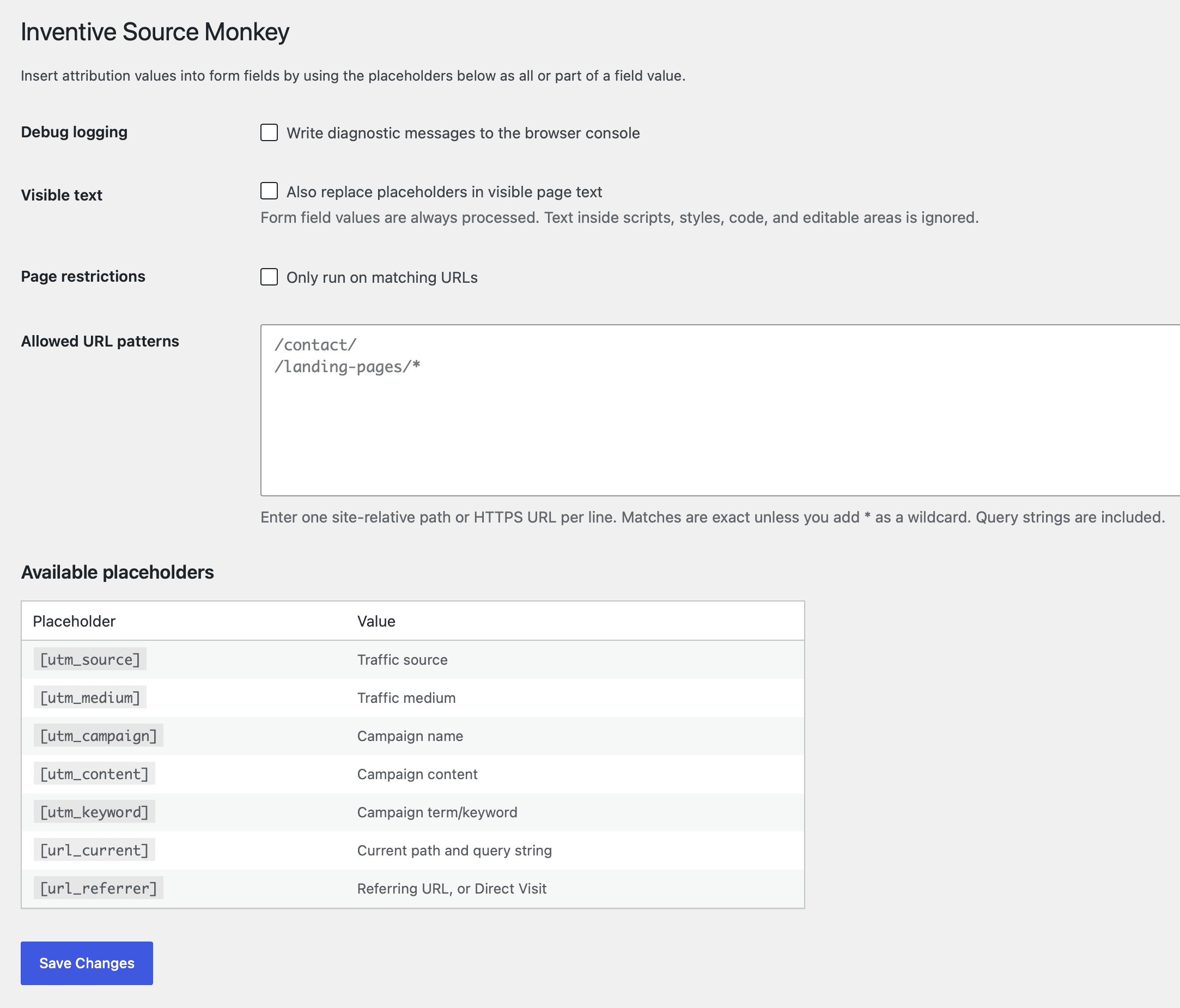
Available placeholders
| Placeholder | Information collected | Example |
|---|---|---|
{utm_source} | Traffic source | |
| Marketing medium | cpc |
| Campaign name | spring-offer |
| Campaign content | sidebar-ad |
| Campaign term or keyword | marketing-agency |
| Current page path and query string | /contact/ |
| Referring URL | https://www.google.com/ |
Plugin features
- Captures UTM campaign attribution.
- Records the current page and referring URL.
- Supports forms inserted after the page has loaded.
- Can optionally replace placeholders in visible page text.
- Can run everywhere or only on selected pages.
How to use it
- Download and install the plugin through Plugins → Add Plugin → Upload Plugin.
- Activate it, then open Settings → Source Monkey.
- Add the required placeholders to the default values of your form fields.
Important: Add placeholders to the field’s default value, not its label or placeholder text. Hidden fields are useful when you want to collect attribution data without displaying it to visitors.
Supported forms
Version 2 has been tested with Ninja Forms and Gravity Forms. It should also work with other form plugins that use standard HTML input, textarea or select fields.
Please contact us if you test it successfully with another form plugin or encounter a compatibility problem.
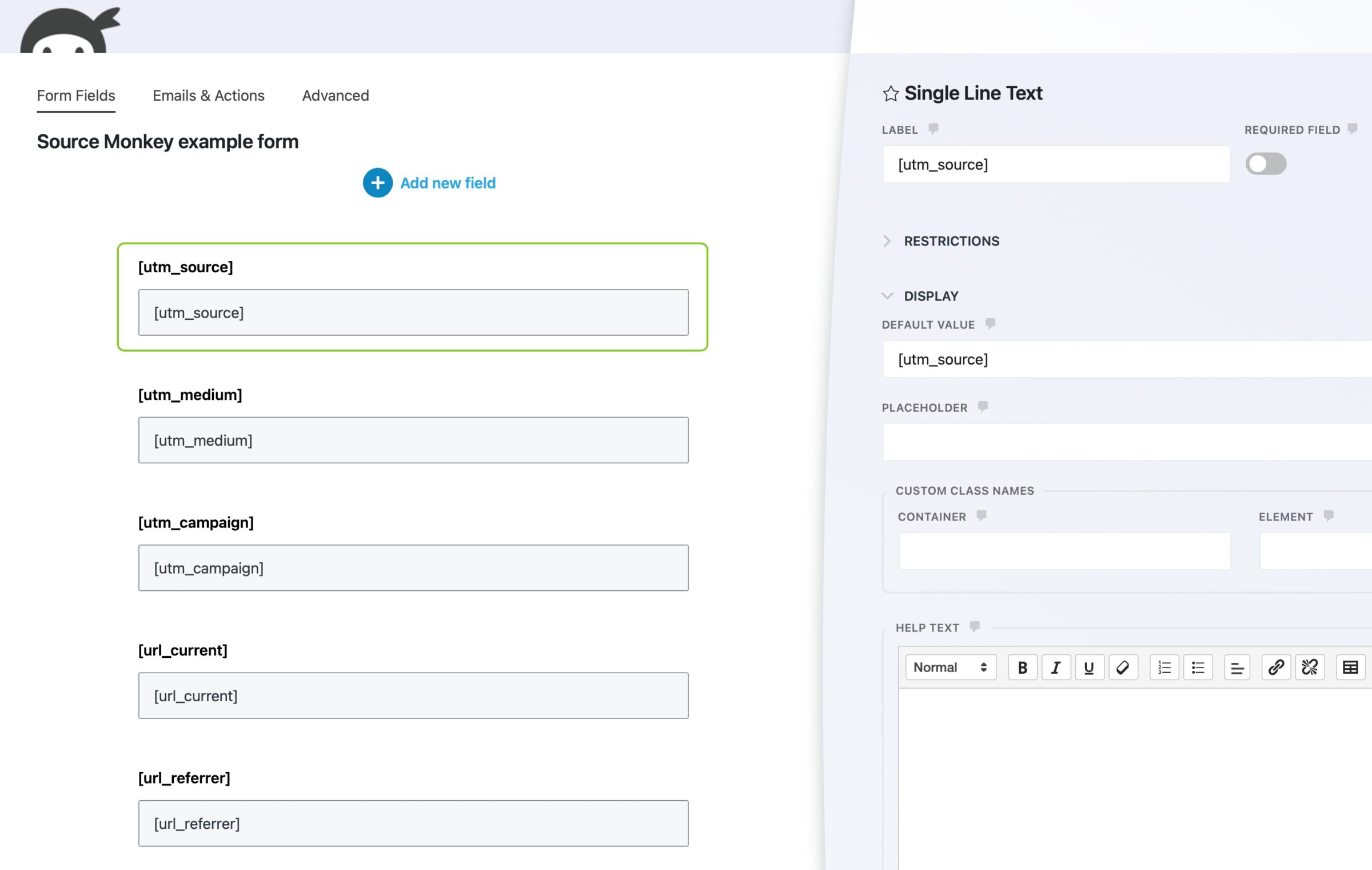
In Ninja Forms, add a field for each attribution value you want to collect. Open the field settings and enter the appropriate Source Monkey placeholder as its Default Value.
For example, enter [utm_source] to record the visitor’s traffic source. You can use hidden fields to collect this information without displaying it to visitors.
The placeholder must be added to the Default Value, not the field label or placeholder text.
Live Ninja Forms example
The fields below are automatically populated when the form loads. Direct visits will normally show (direct), (none) and Direct Visit.
Plugin support
Inventive Source Monkey is provided free of charge and “as is”, without warranty. You are responsible for testing it on a staging site and confirming that it is suitable for your website before using it in production.
You are welcome to contact Rather Inventive to report a problem or suggest an improvement. However, free installation, configuration and troubleshooting support is not included. Paid assistance may be available by arrangement.
Privacy and cookies
Source Monkey uses the bundled Sourcebuster library to store first-party attribution and session information in cookies. Website owners should describe these cookies in their privacy or cookie information and decide whether consent is required for their visitors.
Requirements and limitations
- Requires WordPress 6.2 or later and PHP 7.4 or later.
- The plugin collects attribution data but does not provide analytics dashboards or reports.
- Attribution depends on the campaign information and referrer data available in the visitor’s browser.
- Browsers, privacy tools and consent settings may limit the information available.
Version 2.0 release notes
- Improved settings and setup instructions.
- Added support for dynamically loaded forms.
- Added URL restrictions with wildcard matching.
- Hardened settings validation and frontend output.
- Added secure, checksum-verified WordPress updates.